
Appearance
Resource Groups
Resource Groups are defined within a Resource Category. They consist of the types of resource within that category e.g. “Violin” and “Cello” belong within the “Strings” category. The “Resource Category Option” provides a drop-down list of all created resource categories. The “VAT” and “Ledger Code” fields are also drop-down menus consisting of predefined codes. The “Resource Types” can then be added, these are how your resource groups are split. In the example below, for “Violin” there is ½, ¼, etc.
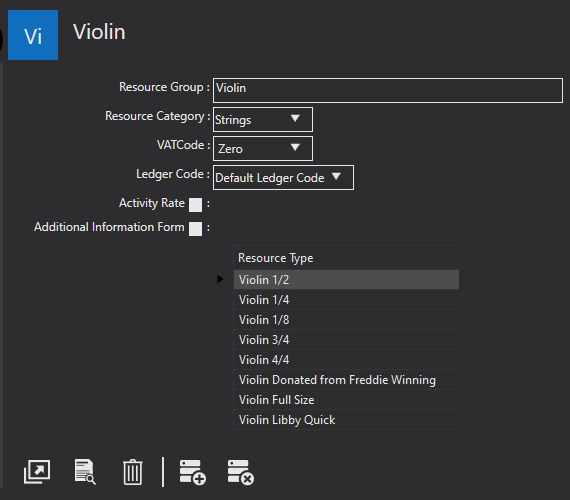
The resource type can be added using the icon shown below. The icon to the right of it is used to delete a resource type. Resource types can be added, edited, and deleted using the icons shown at the beginning of System Settings.

Field reference
Every field on this screen, with the options each one accepts.