
Appearance
Set up
Appraise needs a handful of lists set up before teachers can write reports. They are built from the bottom up, because each one uses the one before it, so it is worth doing them in the order below.
All five live under Settings > Appraise.
Comments
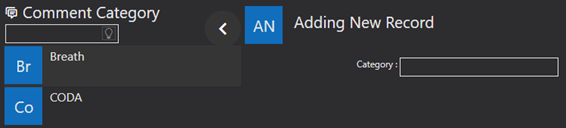
Comments are grouped into categories, and it is the categories you set up first. A category defines a kind of comment, and teachers pick the kind they want when writing a report.
Go to Settings > Appraise > Comments, add a record, type the category, and save.
Levels

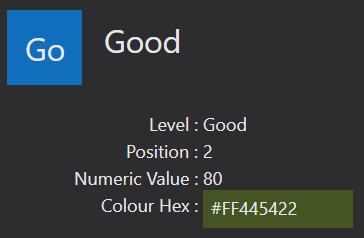
Levels are how a teacher reports on how a pupil is doing. Each level takes a numeric value out of 100, and a position number that decides where it appears in the list teachers choose from.
Technique Categories
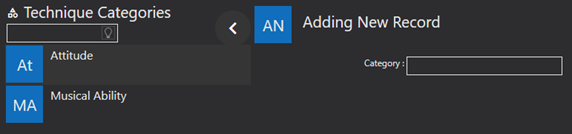
Technique categories group the techniques themselves, in the same way comment categories group comments. Set them up next, under Settings > Appraise > Technique Categories.
Techniques
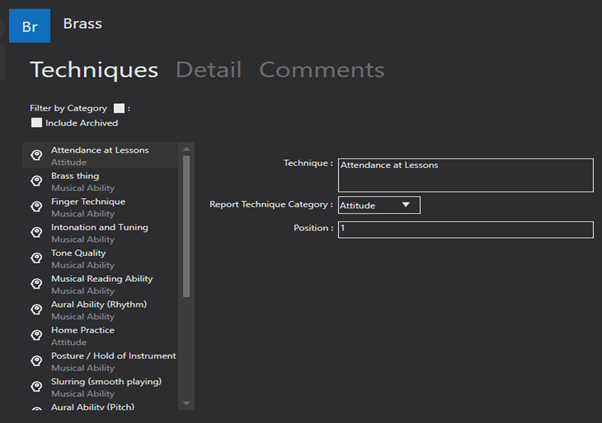
With the categories in place you can add the techniques. Give each one a name, select the category it belongs to, and assign a position to decide where it sits in the list on the report.

Disciplines
Disciplines are the areas a teacher can report on.
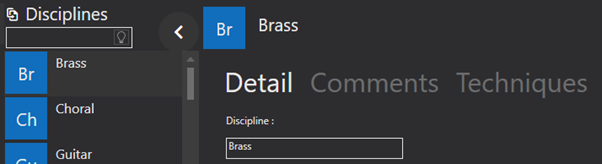
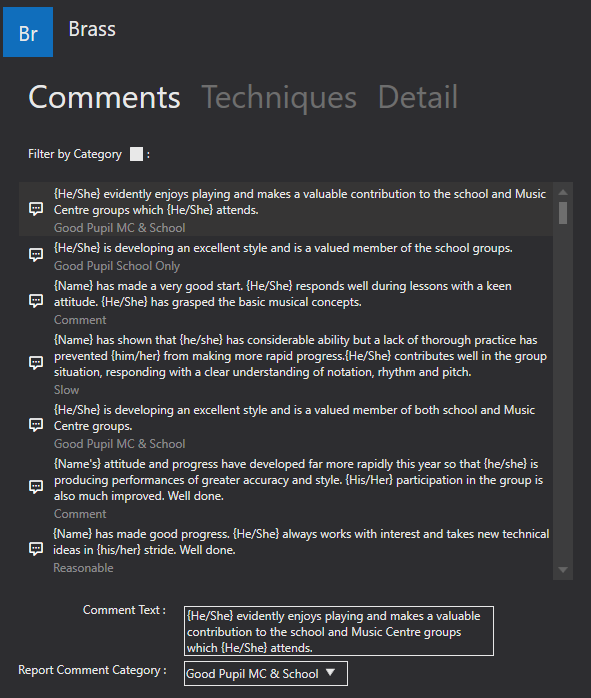
Type the discipline, then use the comments tab to add the comments belonging to it. Each comment is given its text and the comment category it falls under.
Comment text can carry placeholders that are filled in automatically for each pupil:
| Placeholder | Becomes |
|---|---|
{Name} | The pupil's name |
{He/She} | The pupil's pronoun |
{His/Her} | The pupil's possessive pronoun |
That is what lets one comment be reused across a whole class and still read as though it were written for the individual.

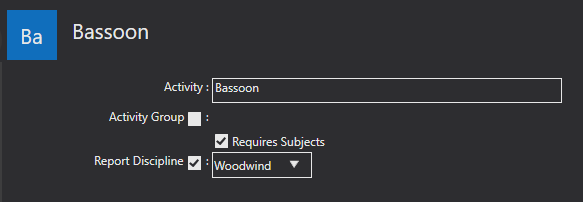
Assigning a discipline to an activity
The lists above do nothing until an activity says which discipline it reports on. Go to Settings > Activity Sections > Activities, add or edit an activity, tick the report discipline option and choose the discipline.
Next
Reporting Periods covers opening a window for teachers to write in, and Teacher Portal what they see when they do.