
Appearance
Contract Teachers
Teacher Pay Settings
If you are going to manage Teacher Contracts for School billed time, you will need to enabled the Teacher Contracts field. Go to:
Settings > System Configuration > Edit mode
Scroll down to the Teacher Pay and Contracts Area.
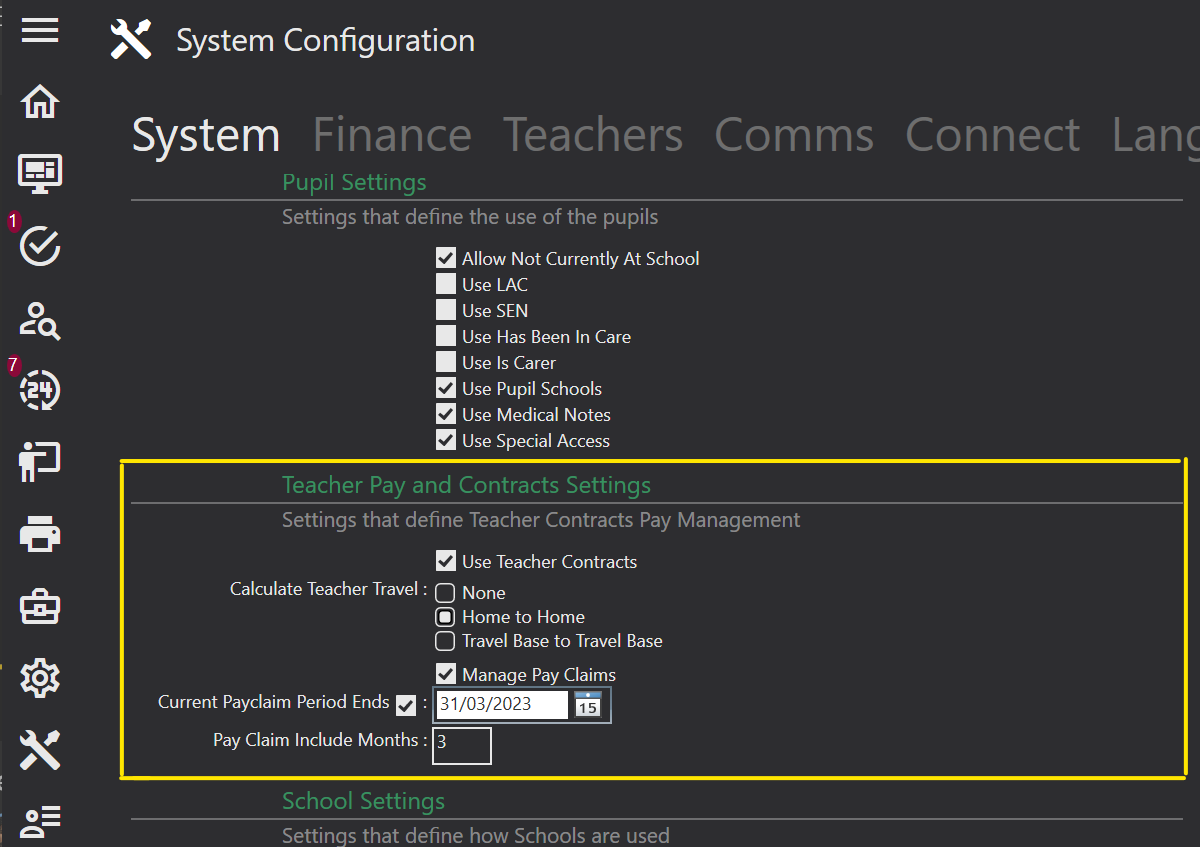
Make sure the following are checked:
- User Teacher Contracts
Assigning a Contract
Please see the Contacts > Teachers > Contracts section to see how to assign a contract to a teacher.
Please see the Tuition > Adding an Activity section to see how to select the contract type for the teacher for each activity they teach.
Please see the Online Portal > Teacher Online View > My Contracts section to see how Teachers can sign their contracts online.