
Appearance
Emailing a lot of people at once
Writing to every parent, every teacher, or everyone in one group - from a query, without a spreadsheet and a mail merge.
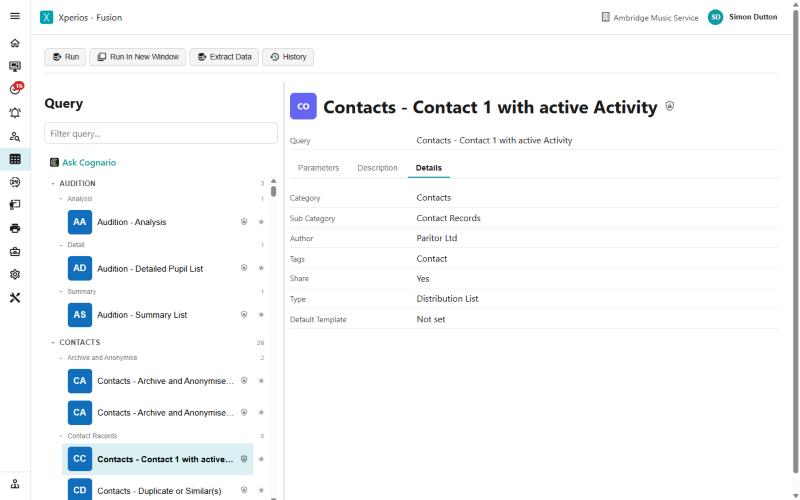
Step 1 of 7
Start from a query, not a list
Batch email comes from Query. A query whose Type is Distribution List gains a Send Email button when you run it - that setting is the whole difference between a query you can write to and one you can only read. You can see it on the query's Details tab.
If a query has no Send Email button, its Type is something else. Ask us and we will set it on the Master copy for everybody.
Use the arrow keys to move between steps.
Why this one is worth knowing
Three things account for nearly every batch-email question.
One email per row - people run a query that returns a line per activity and are surprised when a parent of three gets three emails. The fix is the query, not the email.
No Send Email button - the query's Type is not Distribution List.
"Did it actually go?" - the journal answers it, and nothing else does.
Campaign and Campaign Stage are the least known and the most useful: they turn a re-send into a top-up rather than a duplicate.
The same ground, as reference
- Sending a batch email — the screen in full
- Queries — query types, and what each one is for
- Running a query — filtering, exporting and alerts