
Appearance
A payment schedule is not collecting
A payer is on instalments, the dates have passed, and no money has come in. Nine times out of ten nothing is broken - this is how to tell which case you are in, and what to do about it.
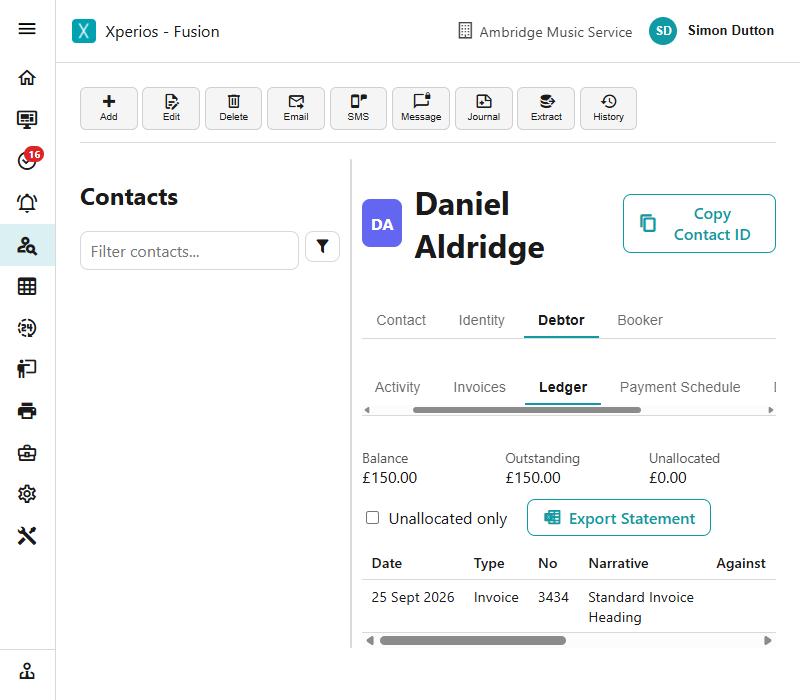
Step 1 of 6
Go to the schedule, not the invoice
Open the payer, choose their Debtor tab, and go along the row to Payment Schedule. The Ledger tells you what is owed; only the schedule tells you what Xperios has tried to take, and when it will try next.
A schedule usually covers more than one invoice, so its figures will not match the single invoice you came in from. That is normal.
Use the arrow keys to move between steps.
Why this one is worth knowing
Almost every report of this turns out to be step two: the payer has never made the first payment, so there is no card to charge. The schedule looks set up because it is set up — it is waiting for them, not for you.
Running that query at the start of a term, rather than waiting for somebody to ask, is the whole trick.
The same ground, as reference
- Payment schedules — how a schedule works, failures, and the settings
- Debtors — the ledger, and what the payer was told about a payment
- Refunds — when money has to come back out