
Appearance
Acting for a school or organisation
If you are the person at a school, academy or other organisation who deals with the music service, the app gives you that organisation's own pages.
The menu entry, the page and the back button are all named after what you act for: School or Schools where every one of them is a school, and Organisation or Organisations otherwise. Where you act for exactly one, it opens straight on it.
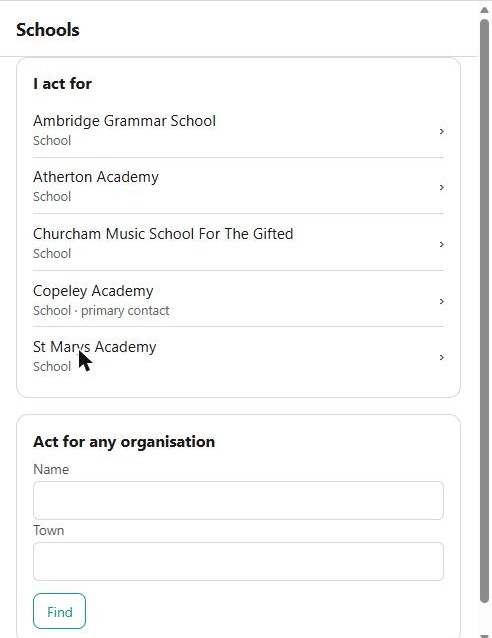
This is the same ground as the Portal's "act for" pages, and the server checks every call against your association: you see what your organisation lets you see, and nothing else.
The organisation's page
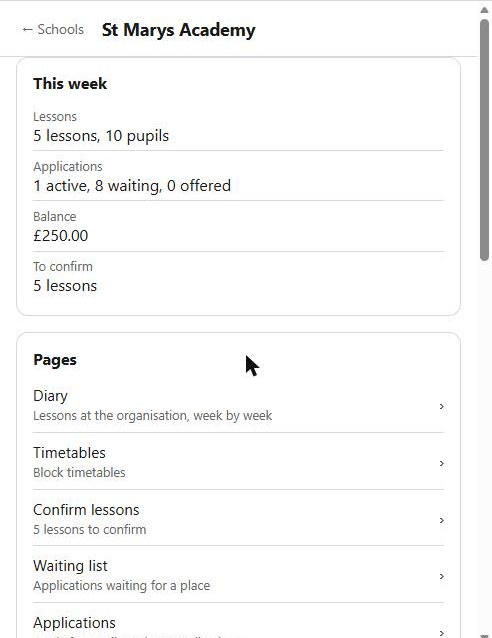
It opens on This week — the lessons and pupils at your organisation, how many of them are school-billed, your applications split into active, waiting and offered, your balance where you are allowed to see invoices, and anything waiting to be confirmed.
Below that is Pages, which is the organisation's menu. Each entry carries the number that matters, so you can see what needs you without opening it — lessons to confirm, SLAs to sign, how much is outstanding, how many orders are pending.
| Diary | Lessons at the organisation, week by week |
| Timetables | The block timetables, read-only |
| Confirm lessons | Confirm or dispute the lessons recorded as delivered |
| Waiting list | Applications waiting for a place |
| Applications | Apply for pupils, and see the applications made |
| DBS manifest | The teachers' DBS and safeguarding checks |
| SLAs | Service level agreements, including signing one |
| Invoices | Invoices and credits, where you may see them |
| Purchases | What the organisation has bought |
| Resources | What it holds and what it has hired |
| Orders | Ordering services, with what is in the basket and what is pending |
| Pupil reports | Published reports, where your service runs reporting |
| Contact a teacher | Writing to the teachers who come to you |
| Library | The organisation's own library |
| People | Who acts for the organisation, and inviting somebody else |
| Organisation details | Its address and contact details |
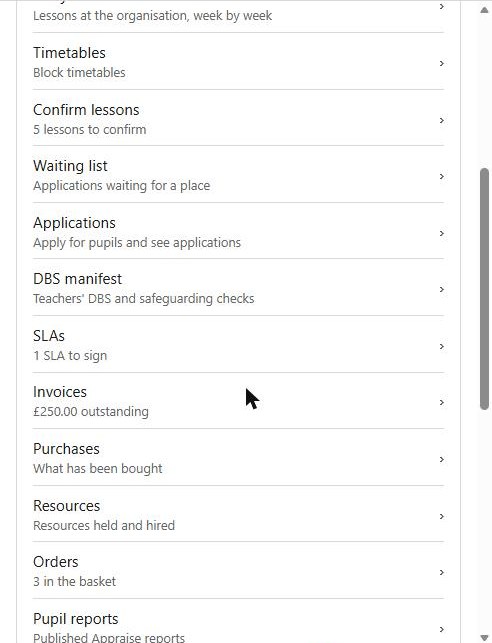
People and Organisation details are for the primary contact only. The rest appear according to what your organisation actually has: no lessons, no diary or timetables; no applications, no waiting list.
At the bottom, Services lists what the organisation takes from the service and how it has moved — last year, this year and next.
The two worth doing on a phone
Confirming lessons and signing an SLA. Both are things that sit waiting because they need somebody to be at a computer, and neither needs one.
Where the Portal still does more
Some of an organisation's work is still only on the Portal, and the app says so rather than pretending. If you reach something the app does not yet carry, open the same organisation on the Portal and it will be there.
Service staff
Staff at the music service who are allowed to can act for any organisation, not only one they are associated with — find it by name or town, and its pages open as its primary contact sees them. That is recorded as done by you, as all such acting is. See signing in and your account.
See also
- The Portal — the same organisation pages on a computer
- Today — what is waiting for you